Office for administrators
University Admin Software: Meetings, Tasks and Approvals
Most university work happens in ordinary meetings, memos and forms. Office gives that everyday work a clear record and a way to get things done.
The paperwork behind every university
Formal bodies like Council and Senate get attention. But most of a university's work happens elsewhere: in department meetings, in a leave form, in a memo from the Registrar, in a letter that arrives from a ministry and must be answered by Friday.
This everyday work often runs on paper files, personal inboxes and memory. A memo goes out, and nobody knows who read it. A purchase request sits on a desk while the person who must sign it is travelling. A decision made in a department meeting is never written down. A letter is answered twice, or not at all.
These are small failures, but they add up. Staff lose hours each week chasing signatures and searching for documents. Students and suppliers wait. Leaders cannot see where work is stuck.
Office is the new everyday-administration product in Oxonia Operate. It is for registry staff, faculty officers, secretaries, HR and anyone who keeps the university running.
Everyday meetings with a clear record
Office records ordinary meetings, such as a department meeting, a project check-in or a planning session. After the meeting, it prepares a summary with the decisions taken and the actions agreed. Each action has an owner and a due date.
The summary is Ai enabled and is a draft until the meeting's chair or secretary adopts it. It cites the parts of the meeting it draws on, so anyone can check what was actually said. Once adopted, it becomes part of the record.
For formal bodies such as Council, Senate and committees, use Senate, which handles quorum, voting, board packs and signed minutes. Office is for the many meetings that do not need that formality but still need a record.
Staff who missed a meeting can read the summary in a few minutes and see what they have been asked to do.
Tasks with reminders and escalation
Actions from meetings become tasks. Staff can also create tasks directly and assign them to colleagues. Each task has an owner, a due date and a status. Office sends reminders as the date approaches.
If a task becomes overdue, Office escalates it according to rules the university sets, for example to the owner's line manager after a week. Escalation is not a punishment. It makes sure work that has stalled gets attention before it becomes a problem.
Staff see their own tasks in one list, whether they came from a meeting, a memo or an approval. Managers see their team's tasks and where help is needed.
- Tasks from meetings, memos or created directly
- Owners, due dates and status for every task
- Reminders before tasks fall due
- Escalation rules set by the university
Approvals and workflows
Office runs the university's routine approvals: leave, purchases, travel and room booking. Each request follows a workflow the university sets. A purchase over a certain amount might need the head of department, then finance, then a dean.
Requesters see where their request sits. Approvers see what is waiting for them. Delegations mean that when an approver is away, a named deputy can act. Every decision is recorded with a name and a date.
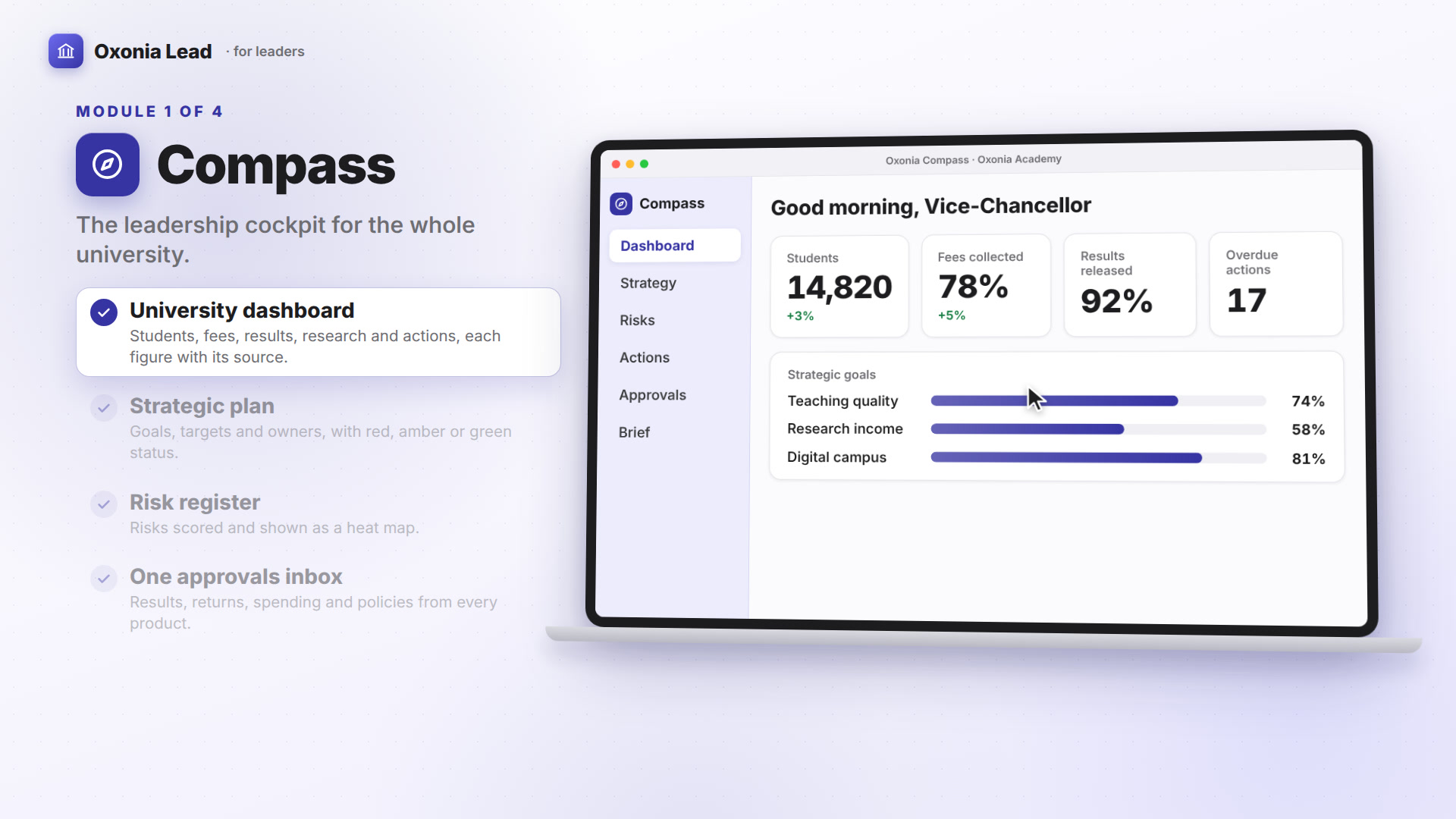
Leaders see approvals in their own inbox in Compass, alongside requests from other products. A dean does not need to check three systems to know what is waiting.
Workflows can be changed by administrators as policies change, without waiting for a new system.
Memos, circulars and correspondence
Office sends memos and circulars with read receipts. The Registrar can send a circular to all heads of department and see who has opened it. Reminders can go to those who have not. When a memo asks for action, the action becomes a task.
The correspondence register records letters that come in and go out. Each letter is logged, assigned to someone to handle and tracked until it is answered. The university can see what was received, who dealt with it and what was sent back.
This matters for letters from regulators, ministries, funders and partners, where a missed reply can have real consequences.
Correspondence can be linked to tasks and meetings. A letter from a funder that needs a decision can go onto a department meeting agenda, and the reply is logged once it is sent. Anyone with the right role can see the whole thread, even if the person who first handled it has moved on.
Staff directory, org chart and delegations
Office keeps the staff directory and the org chart. Staff can find who does what, who reports to whom and how to reach them. The directory uses the same Oxonia Academy ID records as the rest of the platform, so it stays current.
Delegations are recorded here too. When a Bursar delegates authority to a deputy for a period, Office records it, and approvals follow the delegation automatically. When the period ends, authority returns.
Verified staff records, such as qualifications for regulator returns, are kept in Nexus, which also comes with Oxonia Operate.
| Before | In Office |
|---|---|
| Notes in a notebook | Meeting summary with decisions and actions |
| Follow-up by memory | Tasks with reminders and escalation |
| Paper forms for leave and purchases | Approval workflows with delegations |
| Memo on a noticeboard | Circular with read receipts |
| Letters in a tray | Correspondence register |
| Out-of-date phone list | Staff directory and org chart |
Price and how to start
Office costs £12,000 a year for up to 5,000 students, £18,000 for 5,000 to 15,000 and £26,000 for 15,000 to 40,000. A single department or office can start on the Department plan at £4,800 a year.
Office is part of Oxonia Operate. The Operate package costs £34,400 a year for a mid-size university. Office also has a Department plan at £4,800 a year. See pricing.
A good starting point is a single faculty office for a term. Move its leave, purchase and room booking forms into Office, record its department meetings and send its circulars through Office. At the end, compare how long approvals took and how many tasks were completed on time.
Products in this article
Questions people ask
What does Office do?
Office records everyday meetings with summaries and actions, tracks tasks, runs approvals for leave, purchases, travel and room booking, and sends memos with read receipts.
Can Office handle delegated authority?
Yes. Delegations are recorded in Office, and approvals follow them automatically for the period set.
Is Office the same as Senate?
No. Senate runs formal meetings like Council and Senate. Office handles everyday meetings, tasks, approvals and correspondence.
How much does Office cost?
Office costs £12,000 a year for up to 5,000 students. A Department plan costs £4,800 a year.
Leaflets


More videos
 1:11Conference film · Chapter 5Operate: records, Advance and Wallet
 1:40Suite filmOxonia Lead in 100 seconds
 1:54Conference film · Chapter 4Lead: Senate, Compass, Office, Policy, Library
Keep reading
Related articles
Oxonia Operate →
For the Registry, Admissions, Finance, Student Services and departmental administrators: meetings, approvals and memos automated, applications screened against your criteria, and answers for students and staff at any hour.