Senate for secretaries and chairs
Running Senate and Committee Papers Digitally, Start to Finish
Most governance pain sits in the papers: late, incomplete and printed twice. Senate runs the whole cycle in one place, from the first draft paper to the chair's signature.
Why committee papers still slow a university down
Ask any university secretary where the time goes and the answer is rarely the meeting itself. It is the fortnight before it. Papers arrive late or without a cover sheet. A dean has not signed off the paper that their faculty sent in. Someone uploads version three after the pack has gone out. Members print hundreds of pages, read them on a bus and then ask in the meeting which version is current.
After the meeting the pressure moves to the minutes. The clerk works from handwritten notes, chases the chair for wording, and only weeks later finds out which actions were never followed up.
Oxonia Senate is the governance product in Oxonia Lead. It takes the whole cycle, from the first draft paper to the signed minute and the action register, and keeps it in one record. Every step that becomes official still waits for a named person, and every step is logged.
Papers in: cover sheets, sponsors and a checker
Each agenda item has a slot for its paper. The author submits a cover sheet and the PDF. Before the paper goes anywhere near the pack, its sponsor, usually the dean, approves it. Each new upload is saved as a new version, so nobody has to guess which file is current.
When a paper is submitted, the Paper Checker gives the author feedback on completeness and format, worked out from the cover sheet and the PDF itself. The feedback goes only to the author and changes no record. It simply means the secretary receives fewer papers that need sending back.
The secretary can see, at a glance, how many papers have arrived against how many are expected for each meeting. The agenda is edited by the secretary and approved by the chair. If anyone edits it after approval, it returns to draft so the chair sees the change. Agenda references follow the committee's own numbering scheme.
The pack: compiled, summarised and personal
Once the papers are in, the Pack Builder compiles a draft pack in agenda order, using the latest approved version of each paper and showing clearly where anything is missing. The secretary publishes it. Publishing is the approval gate: nothing goes to members until a person decides it is ready.
When the pack is published, a short summary is written for each paper and linked to the pages it summarises. Each summary is labelled as an AI draft until the secretary adopts it. If no summary can be written, Senate falls back to the author's own purpose and recommendation, so it never guesses.
Each member receives only what they are entitled to. Confidential items go to the secretariat and the chairs. A member who has declared a conflict of interest on an item does not receive that item, whatever their role. Each downloaded copy is watermarked with the member's name. The same rules apply in the reader, in the PDF download and to the AI-enabled assistants.
Reading on a phone or tablet, even offline
Members read the pack in the Boardroom app, which installs on a phone or tablet from the browser. They can annotate as they read, and the secretary can see who has opened the pack before the meeting through a simple reading tracker.
Packs can be kept on the device for reading without a connection, which matters for members who travel or who live with unreliable mobile data. Offline packs are encrypted on the device. When a member's access is revoked, or their last committee membership ends, the app deletes its offline packs the next time it opens, and a push message asks installed devices to wipe straight away. Devices confirm each wipe.
For the secretariat this replaces couriers, printed copies and the worry about where old packs end up. For members it means one place to read, with the right version, wherever they are.
In the room: quorum, motions and votes
During the meeting Senate shows live quorum, so the chair knows at every moment whether decisions can be taken. Motions move from proposed to seconded to open to closed. Votes can be taken in the room or in the app.
Three ballot types are supported. An open ballot records who voted which way. A show of hands lets the secretary record the counts. A secret ballot stores the vote with a random token and no link to the member; a separate receipt proves that the member voted, so nobody can vote twice, but nobody can see how they voted.
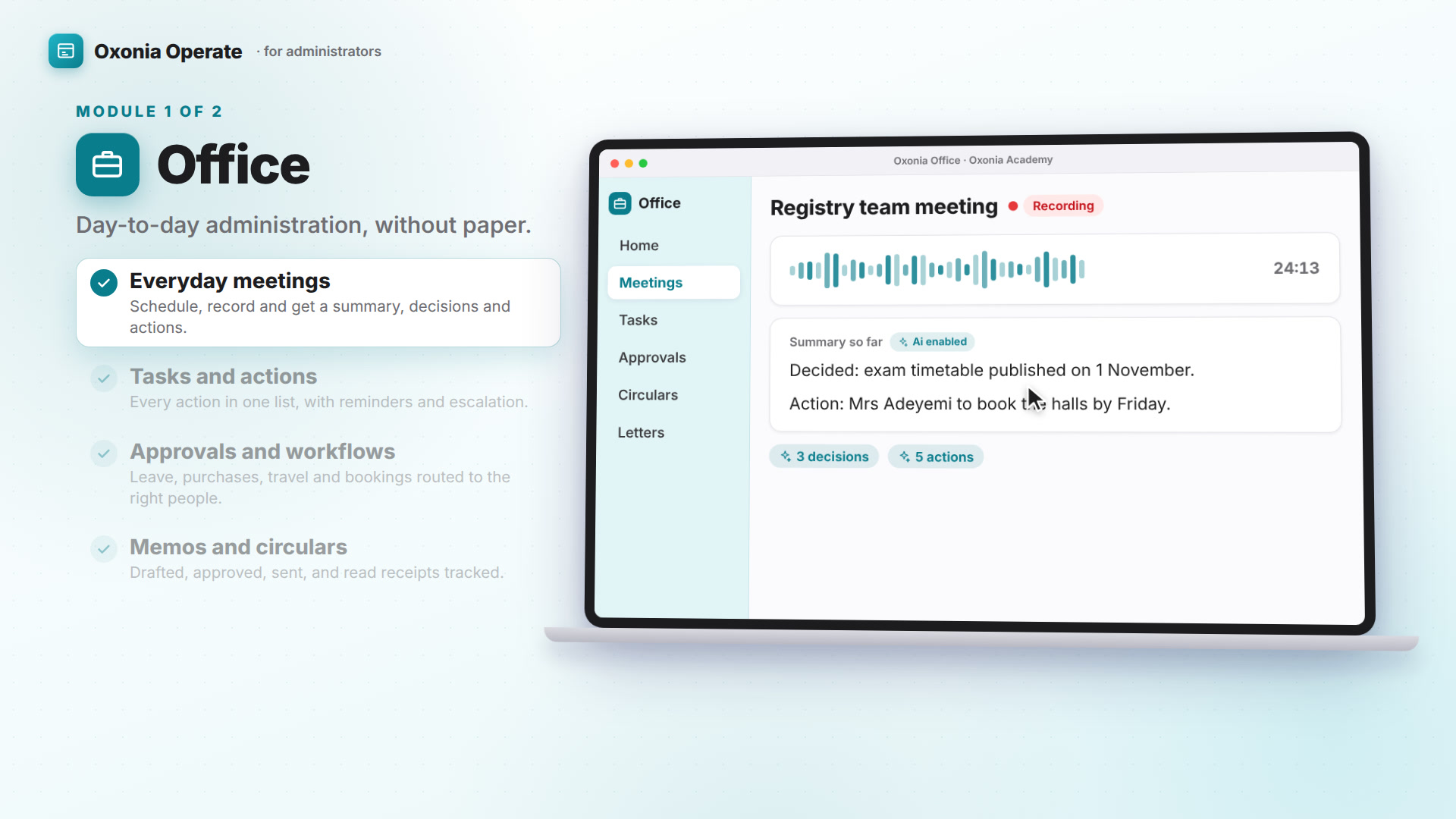
If the meeting is recorded, with the consent the university requires, the Live Clerk listens for actions such as an action for the Registrar by the end of November. Each one becomes a suggestion that the secretary accepts or rejects. Confidential parts of the meeting are never scanned.
Minutes, signatures and registers
After the meeting the Minutes Agent drafts the minutes in the committee's house style, the way that body words its decisions. Every sentence must cite the part of the transcript, or the vote, declaration or attendance record, that supports it. A sentence citing something that does not exist is rejected, never repaired. Sentences the secretary types are marked as theirs.
The secretary edits and approves the minutes. The chair then signs them with a typed name or a drawn signature. Senate stores a SHA-256 hash of exactly the text signed and issues an audit certificate, so any later change no longer matches. Minutes export to Word and PDF in a formal record style.
Resolutions and actions go onto their registers automatically, and owners are reminded as deadlines approach. Where the university publishes minutes, Senate builds a public version: confidential minutes are withheld, personal data is replaced with [redacted], and the public version is published only after the data protection officer approves it.
| Step | Who decides | What Senate does |
|---|---|---|
| Paper submitted | Author | Paper Checker gives completeness and format feedback |
| Paper approved | Sponsor (usually the dean) | Keeps every version; counts papers received |
| Pack published | Secretary | Compiles the draft pack; writes a summary per paper |
| Votes taken | Members | Live quorum; open, secret or show-of-hands ballots |
| Minutes approved | Secretary | Drafts minutes in house style, each sentence cited |
| Minutes signed | Chair | Stores a hash of the signed text and an audit certificate |
| Public version | Data protection officer | Withholds confidential items and redacts personal data |
Finding past decisions, and where to start
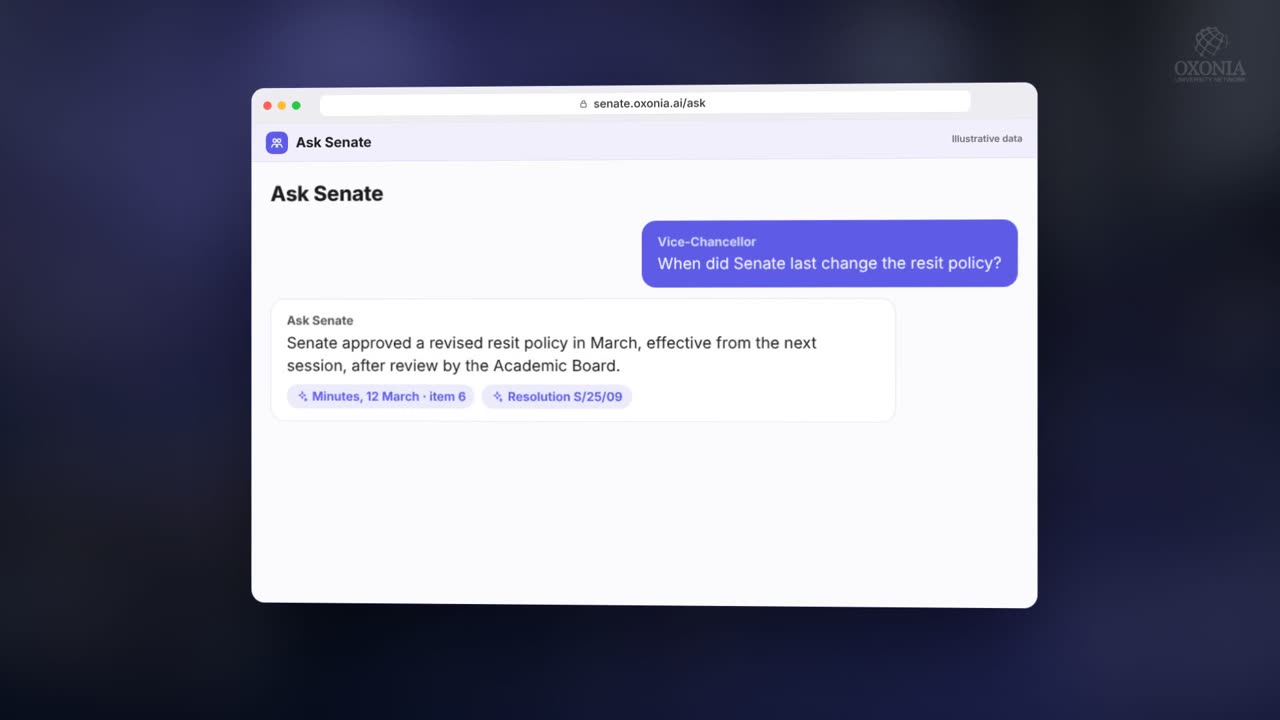
Ask Senate answers questions about past minutes, resolutions, papers and policies that the person asking is allowed to see. Each sentence of the answer carries the minute or resolution number it came from. If nothing relevant is found, it says it does not know. Precedent mode answers questions such as whether a similar programme has been approved before, listing past decisions with dates and outcomes.
The governance calendar holds the year's meetings for each body and warns when a statutory meeting is missing or when a meeting date has passed without the meeting being held.
A good first step is one committee for one term: load its members, run its papers through Senate, and compare the effort with the term before. Read more in Council and Senate meetings, or see how decisions flow into the Vice-Chancellor's cockpit in Compass.
Products in this article
Questions people ask
Can members read board packs without an internet connection?
Yes. The Boardroom app can keep packs on a phone or tablet, encrypted on the device, and wipes them when the member's access ends.
Does a member see items where they have a conflict of interest?
No. A declared conflict removes that item from the member's pack, whatever their role.
How are secret ballots kept secret?
The vote is stored with a random token and no member id. A separate receipt only proves that the member voted.
Who approves the minutes?
The secretary edits and approves the draft, and the chair signs it. Senate stores a hash of the signed text so later changes are detectable.
Leaflets


More videos
 1:54Conference film · Chapter 4Lead: Senate, Compass, Office, Policy, Library
 1:38Suite filmOxonia Operate in 100 seconds
 1:11Conference film · Chapter 5Operate: records, Advance and Wallet
Keep reading
Related articles
Oxonia Lead →
For the Vice-Chancellor, Deputy VCs, Deans and Directors: a strategic plan built with the whole university and checked against the budget, policy and governance, a budget the Ai helps allocate, and benchmarking against peer universities.